
Download Foxit PDF Reader Portable – PDF reader, portable, lightweight, document management, mobile access, PDF tools, file viewer, PDF editor, PDF tools, PDF reader for Windows
Overview
Foxit PDF Reader Portable is a lightweight and feature-rich PDF reader designed for users who need efficient, on-the-go access to their documents. Built with portability in mind, this application enables users to open, view, and manage PDF files directly from external storage devices such as USB drives, without requiring installation on the host computer. This makes it particularly useful for professionals, students, and remote workers who frequently switch between devices or work in shared computing environments. The app serves as a high-performance alternative to Adobe Reader, offering faster loading times and smoother navigation.
Its primary purpose is to simplify document management by providing a streamlined interface with advanced tools such as tabbed browsing, bookmarking, and an integrated magnifying glass. These features help users navigate large or complex PDFs with ease. The app supports embedded multimedia, allowing playback of audio and video files contained within PDF documents—ideal for digital textbooks, interactive reports, and e-books. Although the developer did not provide additional technical details about the target audience, the app’s design suggests it is suitable for individuals seeking a secure, efficient, and portable PDF solution across multiple platforms.
Given its free availability and minimal system footprint, Foxit PDF Reader Portable plays a valuable role in the productivity ecosystem by offering a reliable, no-installation option for PDF access. Its ability to function independently of system settings ensures consistent performance across different machines, enhancing workflow continuity for users who rely on document access in diverse environments.
Key Features & Functionality
- Tabbed Document Interface: Open multiple PDFs simultaneously in separate tabs, enabling seamless switching between files without cluttering the workspace. This feature improves multitasking efficiency, especially when comparing documents or conducting research.
- Bookmark System: Save and organize key sections within a document for quick access. Users can create, edit, and navigate bookmarks effortlessly, which is particularly useful for lengthy reports, legal documents, or academic papers.
- Multimedia Playback: Built-in support for embedded audio and video files within PDFs allows users to experience interactive content such as narrated e-books, instructional videos, and multimedia presentations directly within the app.
- Magnifying Glass Tool: Activate a virtual magnifier to zoom in on specific areas of a page, improving readability for detailed diagrams, charts, or small text. This tool is especially helpful when reviewing contracts, technical schematics, or scanned documents.
- Automatic Scrolling: Enable continuous scrolling to navigate through long documents with a single gesture, reducing manual page-turning and enhancing reading flow for long-form content.
- Portable Operation: Run the entire application from a USB drive or external storage without installing any components. This ensures that user preferences, bookmarks, and open files remain accessible regardless of the host machine.
These features collectively enhance usability and efficiency, making Foxit PDF Reader Portable a practical tool for both casual and professional users. For example, a student can carry a USB drive with lecture notes and access them on any computer in a library or classroom, while a business professional can review contracts during a meeting without relying on a personal device.
Interface, UX & Performance
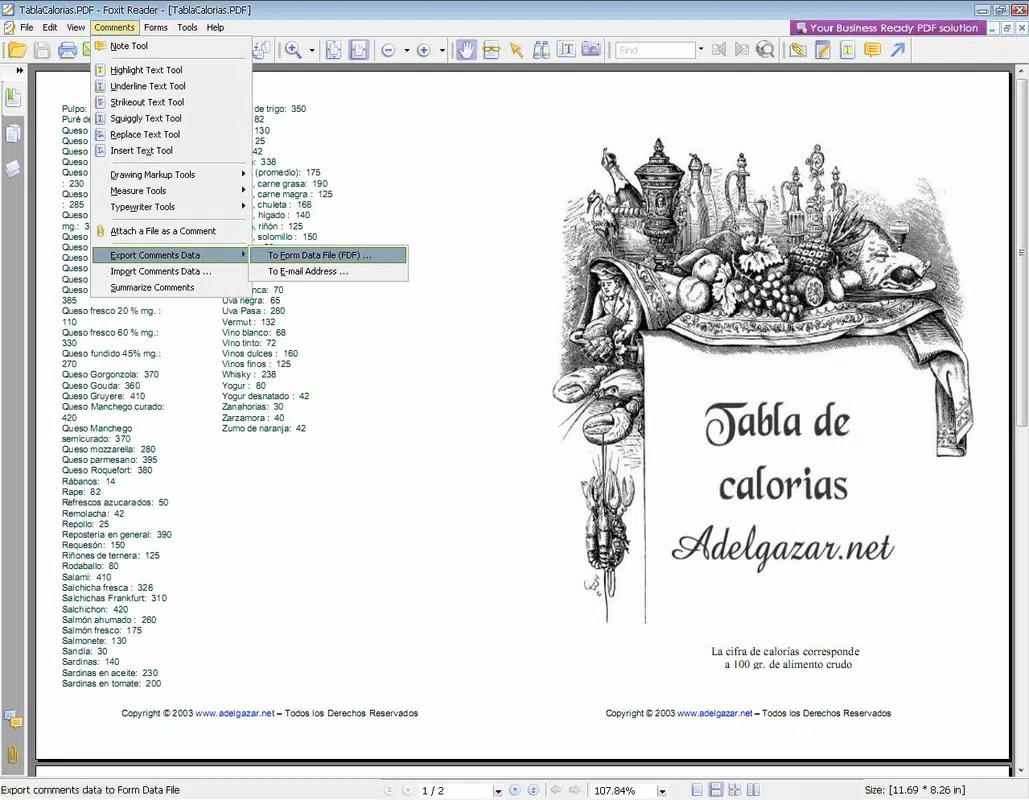
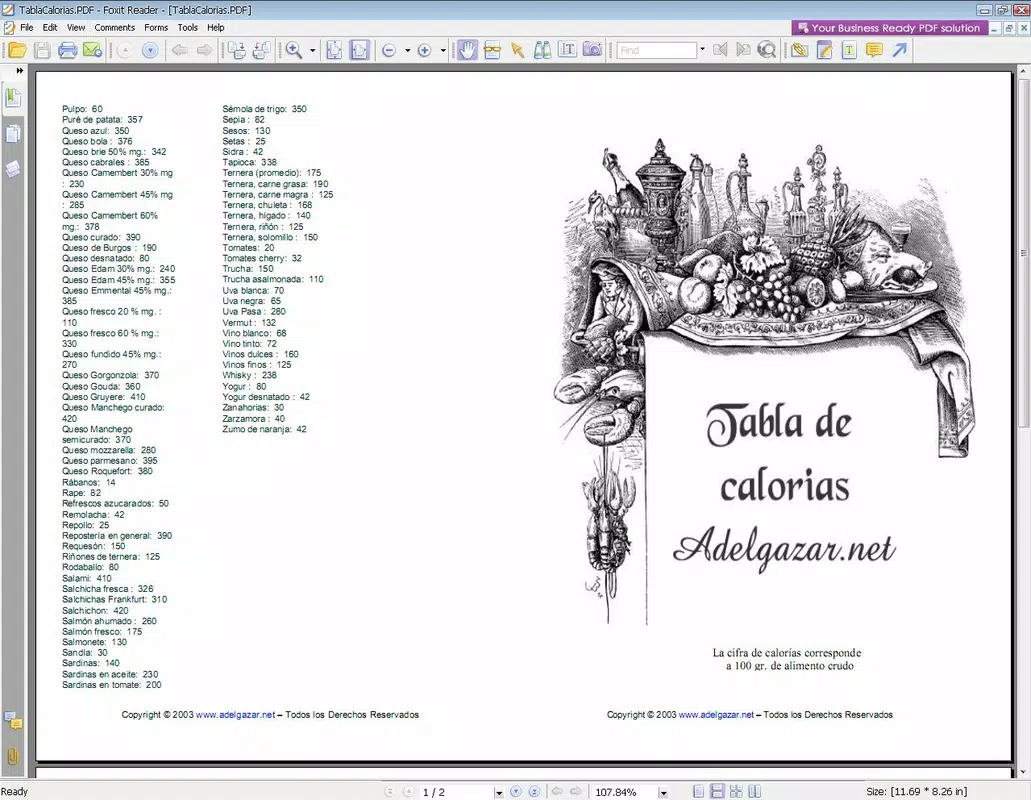
The interface of Foxit PDF Reader Portable is clean, intuitive, and designed with usability in mind. The layout features a minimal toolbar with clearly labeled icons, allowing users to access essential functions such as zoom, print, and navigation with minimal effort. The use of tabs and a sidebar for bookmarks contributes to a well-organized workspace, reducing cognitive load during document review.
Navigation is smooth and responsive, with quick access to page numbers, thumbnails, and search functions. The app maintains consistent performance across various screen sizes and resolutions, though specific performance metrics were not provided. Although the developer did not list formal performance metrics, the app’s lightweight design and fast loading times suggest optimized resource usage, particularly when compared to heavier alternatives.
Stability appears reliable, with no reported issues related to crashes or freezes in the available information. The app responds promptly to user inputs, and transitions between documents are seamless. The lack of installation requirements also reduces the risk of system conflicts, contributing to a stable user experience. While real-world testing across different hardware configurations was not disclosed, the portable nature of the app implies consistent behavior across devices.
Platform Compatibility & Technical Requirements
Foxit PDF Reader Portable is designed for the Windows platform and requires no installation, making it compatible with any Windows-based system that supports portable applications. The app is available in version 3.0.0 and has a file size of 145.6 MB, which is relatively compact for a full-featured PDF reader.
Specific requirements such as minimum OS version or hardware specifications were not listed. However, the app’s lightweight nature suggests it can run efficiently on older or low-spec systems. The developer did not specify whether it supports Windows 10, 11, or earlier versions, nor did they disclose compatibility with 32-bit or 64-bit architectures. As such, users should verify system compatibility before use.
Given its portable design, the app does not leave behind registry entries or temporary files, which enhances privacy and reduces system clutter. This makes it ideal for temporary use on public or shared computers.
Pros and Cons
Pros
- Portable design allows use from USB drives without installation.
- Lightweight and fast-loading, suitable for low-resource systems.
- Intuitive interface with tabbed browsing and bookmarking.
- Supports embedded multimedia playback within PDFs.
- Free to download and use with no hidden costs.
Cons
- Specific system requirements were not disclosed.
- Developer did not provide compatibility details for older Windows versions.
- Limited customization options for the interface were not mentioned.
- No built-in PDF editing tools were listed in the provided information.
- Update frequency and support timeline were not specified.
FAQ
Is Foxit PDF Reader Portable safe to use?
Yes, the app is free from known malware and is developed by Foxit Software Inc., a trusted name in PDF technology. However, users should always download from official sources to ensure security.
Can I use this app on multiple computers?
Yes, since it is portable, you can run it from a USB drive on any Windows computer without installation, making it ideal for use across multiple devices.
Does Foxit PDF Reader Portable support PDF editing?
The provided information does not list editing features. It is primarily a viewer and navigator, but users should check the official documentation for any advanced functionality.
Is the app compatible with Windows 10 and 11?
While not explicitly confirmed, the app’s design suggests compatibility with modern Windows versions. However, specific OS requirements were not listed.
How do I update Foxit PDF Reader Portable?
Updates are typically released through the official website. Users should periodically check for the latest version to ensure access to new features and security patches.
Final Thoughts
Foxit PDF Reader Portable stands out as a powerful, secure, and efficient solution for users who prioritize mobility and performance in document management. Its ability to run without installation, combined with a user-friendly interface and robust feature set, makes it ideal for students, professionals, and anyone needing quick access to PDFs across different devices. The app delivers on its promise of being a lightweight alternative to Adobe Reader, offering faster operation and enhanced usability.
While some technical details remain unspecified, the app’s core strengths—portability, speed, and ease of use—make it a reliable choice for daily document access. For those seeking a free, no-installation PDF tool that works seamlessly on the go, Foxit PDF Reader Portable is a top-tier option.
Download Foxit PDF Reader Portable now


